
TouchPoints for Sleep User Guide
Less stress, better sleep, and improved focus with TouchPoints™ begins here.
Before You Start

Activate the 1-year manufacturer's warranty and TouchPoint Care. Don't wait! Product coverage must be activated within 30 days of receiving TouchPoints for Sleep.
Activate Coverage →
A little safety and care can go a long way in helping you stress less and live more! So go ahead and take a deep breath, relax, and let these safety & care instructions be your guide to a stress-less experience!
Learn More →
Every person has a unique stress profile whereby stress manifests for them in a unique way. Learn about your stress patterns and responses. To find out your Personalized Stress Profile, take the quiz!
Take the Quiz →Getting Started


Plug the included dual-pronged charging cable into a USB adapter or computer (computer must be powered on). A red light displaying means the TouchPoint is charging. Leave plugged in until the red light turns off.
For more info on charging, see our Safety & Care page.
See the step-by-step guide below to pair your devices and start your first session.
Modes & Uses

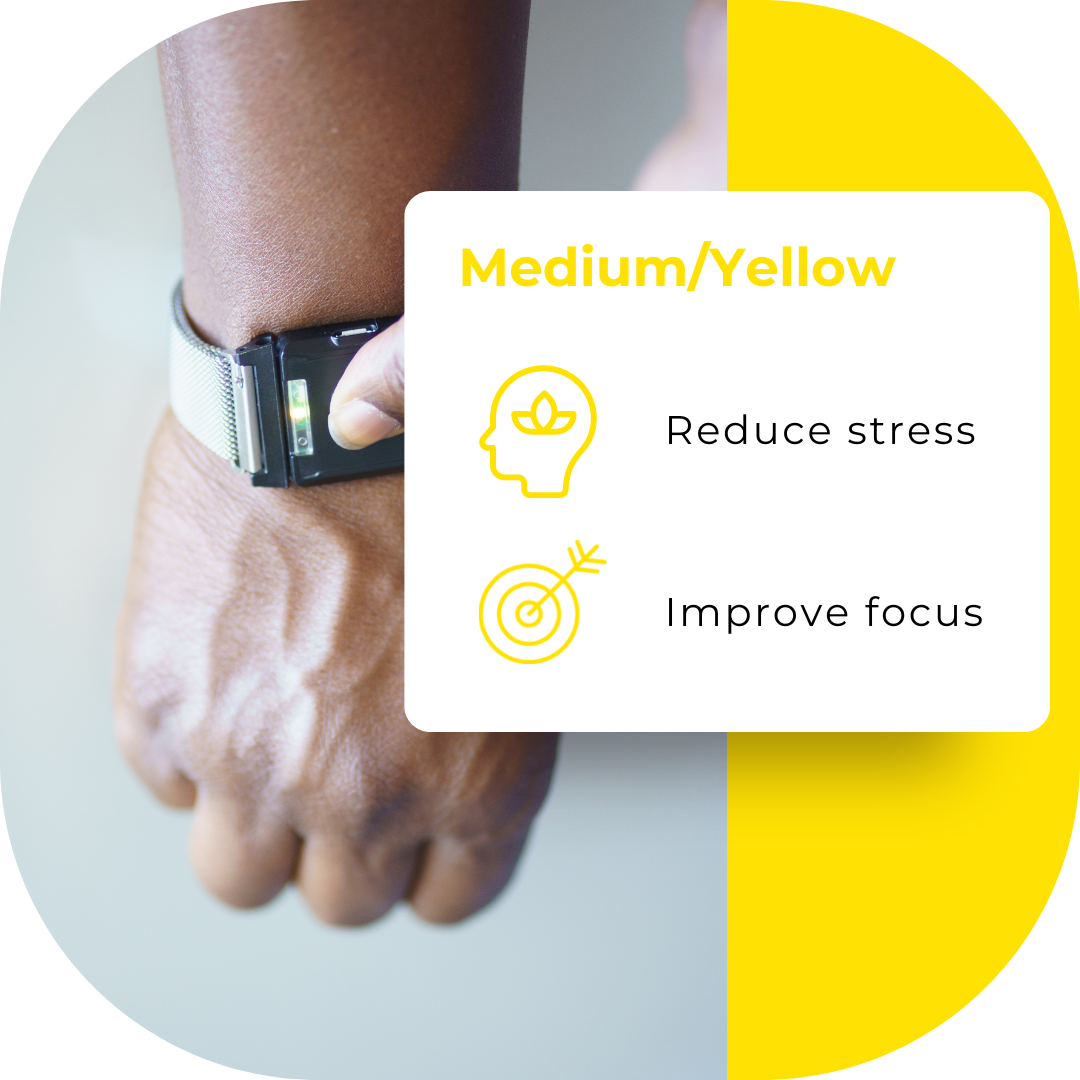


For more ways to use your TouchPoints, visit the Encyclopedia of Uses.
Key

First device powered on. Used to select setting.
Second device powered on. Mimics setting from the lead.
Either device can be a lead or follower based on which one is powered on first. The lights on your TouchPoints will help you sync your devices to the preferred setting and know when they're charging.
Step-by-Step Guide


When to Use TouchPoints
TouchPoints are intended to be used as needed throughout the day. TouchPoints can be used for a short duration to spot treat stress, or they may be left on for longer periods of time to prevent it. For use case specific instructions, visit the Encyclopedia of Uses.
Sleep requires relaxation, and sometimes we're too wound up to relax. Use TouchPoints for 30 minutes while in bed prior to sleep, or if woken up in the middle of the night. TouchPoints for Sleep will automatically shut off after 30 minutes.
Use TouchPoints on your preferred setting whenever you feel sudden stress. Most use TouchPoints for 5-15 minutes, or until they feel a sense of calm.
Use TouchPoints prior and during a stressful situation, such as before an important meeting, before a test or presentation, or a difficult conversation. We recommend you begin using TouchPoints 15-30 minutes prior and if necessary, during, until you feel a sense of calm.
Using TouchPoints for 15-30 minutes can leave a lasting effect in helping you stay calm throughout the day, even when TouchPoints are off! One of the ways TouchPoints' BLAST technology works is by creating new neural pathways that help modify the memories that trigger our stress response. These new neural pathways can build overtime, progressively reducing the release of stress related hormones such as adrenaline and cortisol levels.
Overtime, using TouchPoints in these shorter periods as needed throughout the day should help you feel less stressed, more calm and logical, even when they're off. Using TouchPoints as such will not only be helpful to their effectiveness, but will also prolong their lifetime and help you better understand and manage your stress.
Where to Wear
There are lots of ways to wear your TouchPoints, as long as you place one on the right and one on the left side of your body. TouchPoints do not need to be touching the skin as long as you can feel the vibrations. For more ways to wear TouchPoints, shop accessories!


FAQ
Watch more videos on our TouchPoints channel here.
There are no known conditions that would render TouchPoints ineffective. TouchPoints should work on everyone because of how the brain integrates sensory input.
If it feels like your TouchPoints aren't producing calm it could be because they are not on the right setting for you. Cycle through a couple different settings to find the one that works best for you.
If you are panicking or thinking about an extremely stressful event, it may take longer than 30 seconds to feel the difference. In this case, leave your TouchPoints on and then reassess every minute. In a few minutes, there should be a noticeable difference.
If you have a severe medical or mental health condition or are under the influence of drugs or alcohol, this may interfere with the results. If you have a dissociative disorder, autism, or agenesis of the corpus callosum, you may not be able to notice the positive changes even if they are occurring.
Chat with us online, call us at 877-778-6824, or email us at hello@thetouchpointsolution.com
Contact Support Call 877-778-6824